BPM Supreme Support Help Center home page
Contact Us
Sign in
  • BPM Supreme Support

How do I use Find Similar on the mobile app?

  • Updated March 15, 2023 22:03

To use our "Find Similar" feature on the mobile app, preview any track you like, tap on the three-dotted line in the preview page, and select "Find Similar." A list of tracks similar to your desired track will be generated.
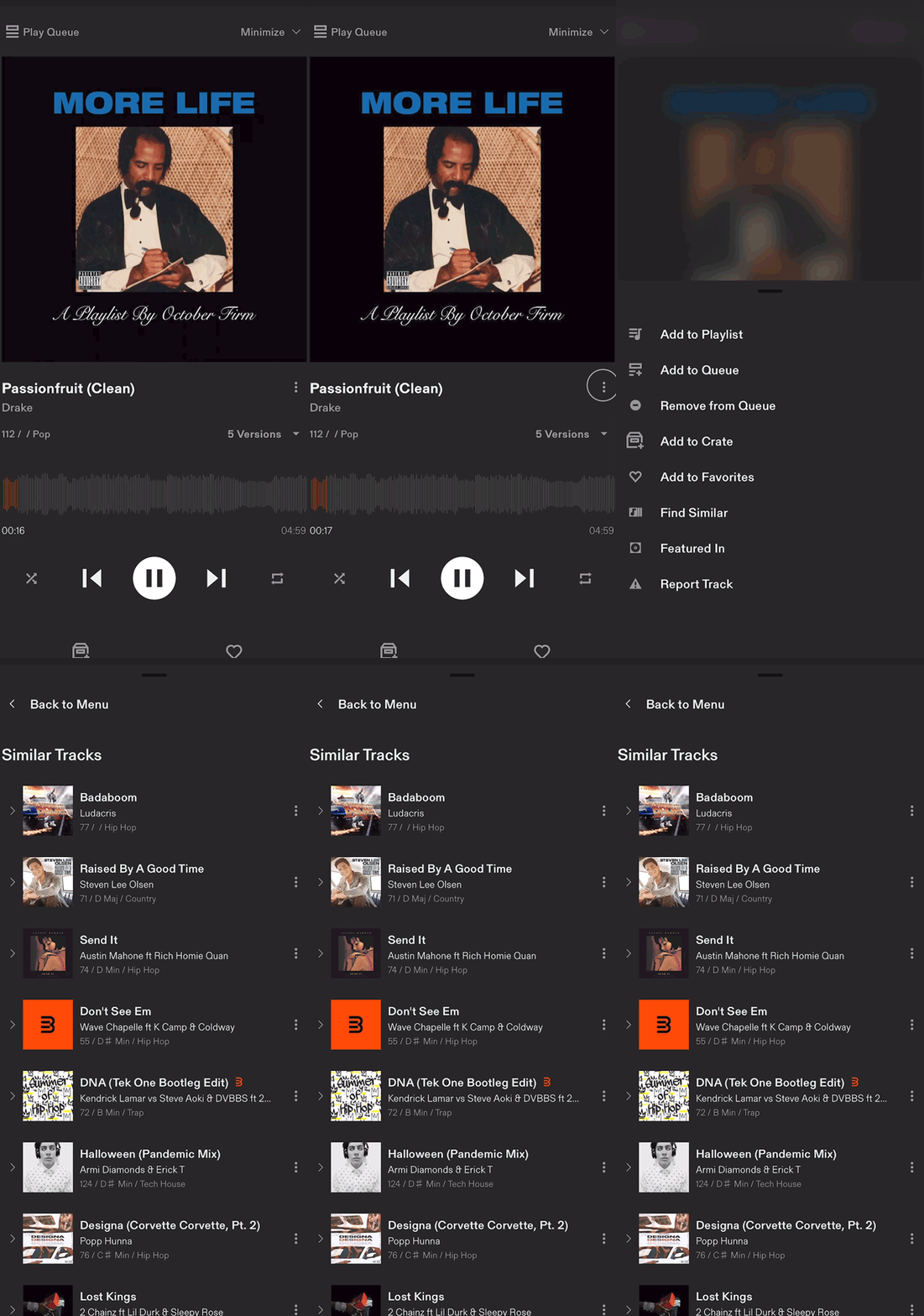
 

FindSimilarMobile.gif


Related articles

  • How to use the crate on the mobile app
  • How do I filter search results and songs in the mobile app?
  • How do I access Latino tracks on the mobile app?

Articles in this section

  • How do I use My Playlists on the mobile app?
  • Can I download tracks from the mobile app?
  • How do I use Find Similar on the mobile app?
  • How to use the crate on the mobile app
  • How do I filter search results and songs in the mobile app?
  • How do I access Latino tracks on the mobile app?
  • What if I’m having trouble logging into the app?
  • How is the app different from the website?
  • Does My Crate and My Playlists on the app sync with the desktop website?
  • What features does the mobile app have?

See all 13 articles

Back to BPM Supreme
Español